Automation in Procurement: What to Automate First
Automation in procurement explained: workflows, AI, and integrations that cut manual buying work, plus the metrics that show real value.
90% of procurement leaders surveyed by ProcureCon Insights and Icertis in 2025 said they had considered or were already using AI agents to optimize operations in the year ahead, according to the Icertis study announcement. That number sounds like the race is nearly over. It isn't.
Many organizations own procurement software and still rekey the same supplier, price, and invoice data by hand. Automation in procurement is not the presence of a platform. It's a transaction moving from request through award, purchase order, receipt, invoice match, and payment with fewer manual keystrokes and clear human decisions at the points where money, risk, or policy changes.
If you're choosing what to automate first, don't start with the most impressive AI demo. Start where somebody types the same data twice.
What Automation in Procurement Covers Today
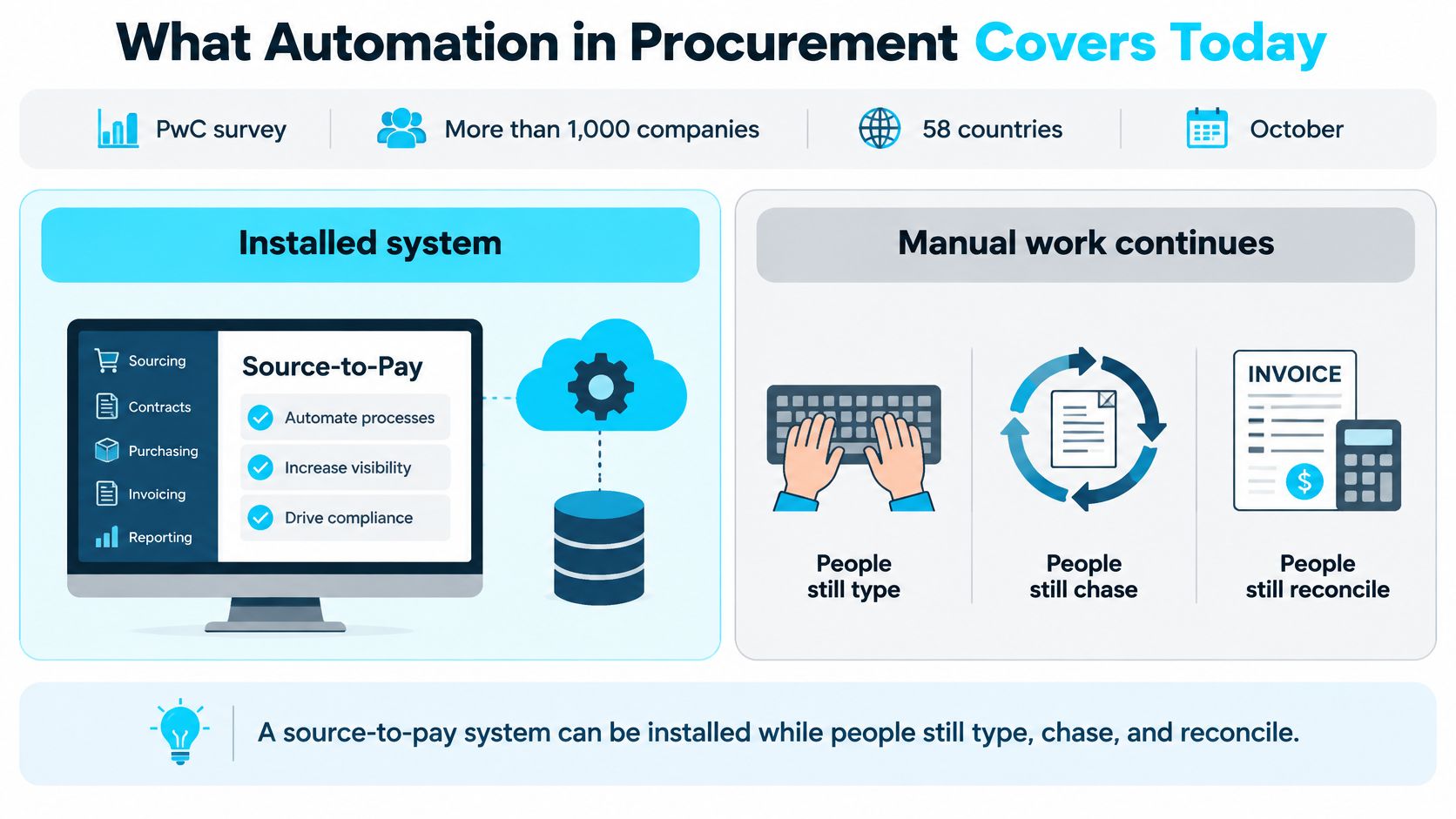
The PwC fifth Global Digital Procurement Survey, conducted in October and November 2023 with more than 1,000 companies across 58 countries, found that 94% of surveyed purchasing departments used source-to-pay solutions, while respondents were targeting an average of 70% digitization of procurement processes by 2027.
Read those two numbers together. Platform ownership is mainstream, yet even the teams planning ahead expect about a third of procurement work to stay outside a digitized process. The gap exists because a system can hold a purchase order while a clerk still types its lines from a PDF, chases an approver by email, and reconciles the invoice in a spreadsheet.
Owning the platform is step one. Moving a transaction through it without retyping is the actual goal.
What each workflow should hand over
The useful way to scope automation is not by software module. It is by handoff: which keystrokes disappear, and which decisions stay with a person.
| Workflow | Manual work that remains | Automated action | Human decision |
|---|---|---|---|
| Requisition | Email requests and spreadsheet coding | Intake form routes by cost center and policy | Approve budget overrides and policy exceptions |
| Sourcing | Chasing bids and scoring spreadsheets | Distribute RFPs and compare bid responses | Award and negotiate nonstandard terms |
| Contracting | Clause review in shared drives | Extract terms and flag playbook deviations | Accept risk on nonstandard language |
| Purchase order | Retyping contract prices into the ERP | Generate the PO and push it to the ERP | Release orders above threshold |
| Goods receipt | Paper or email confirmations | Match received quantity to the PO line | Resolve shortages and damaged goods |
| Invoice match | Keying lines and chasing mismatches | Two- or three-way match and route only breaks | Approve price, quantity, or tax exceptions |
| Supplier data | Duplicate vendor records | Validate tax ID and bank details on intake | Onboard new or high-risk suppliers |
Notice the pattern across rows: the automated column handles volume, and the human column holds judgment. Say a plant buyer receives a signed agreement, opens the ERP, and types the agreed unit prices into a PO. The platform didn't fail. The handoff did, and that's the piece automation should take.
The tool types in plain terms
- E-procurement and source-to-pay platforms: Hold purchasing records and run tendering, catalogs, and approvals.
- API or scheduled integration: Moves each event across ERP, finance, and supplier systems without retyping.
- Rules-based workflow and robotic process automation: Route approvals and remove repeated keystrokes where the rule is fixed.
- Document AI: Reads invoices, receipts, and contracts and pulls out structured fields.
- AI agents: Act across several steps, which is where approval limits and audit trails matter most.
These categories layer on each other rather than replace each other. A platform without integration still requires retyping, and document AI without a workflow behind it produces fields nobody routes. The column that matters most in your own copy of the table is the middle one. Wherever the "automated action" is still a person's daily task, you have a workflow ready to fix, and the row tells you which tool type fits it.
The Integration Layer Automation Depends On
You can buy document extraction tomorrow and still copy POs into finance next month. That happens when automation speeds up one screen while the systems behind it stay disconnected.
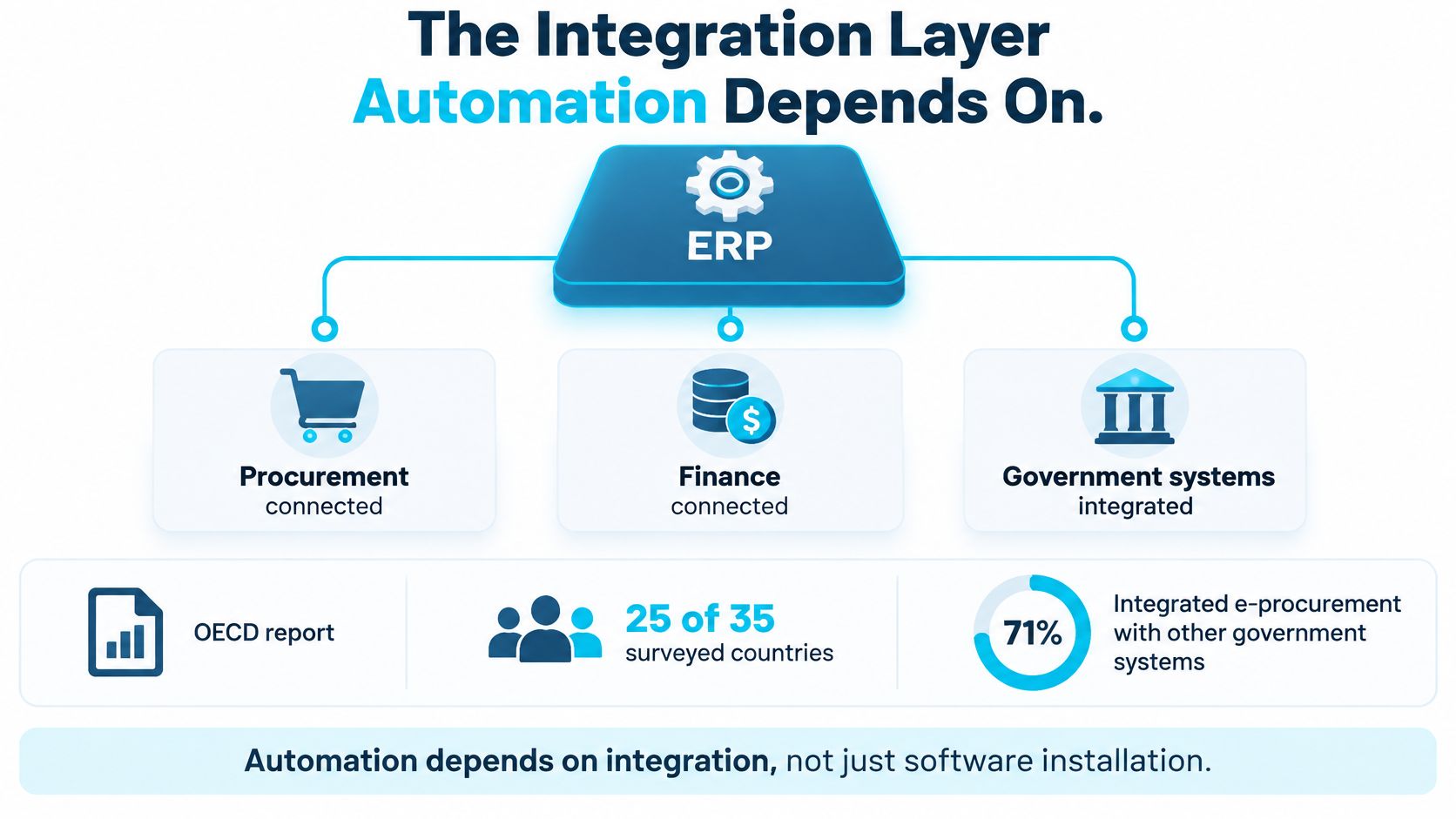
The OECD Government at a Glance 2025 report on procurement integration reports that 25 of 35 surveyed OECD countries, or 71%, had integrated e-procurement with other government systems, enabling real-time information exchange with finance, budgeting, HR, tax, auditing, and ERP platforms. The setting is public sector, but the mechanism is the same in a manufacturer, contractor, or aerospace supplier. Shared identifiers and synchronized master data let one transaction propagate instead of being rebuilt at every step.
Think of a conveyor that stops at every doorway. Each stop is a person retyping a supplier, item, contract, or cost-center code, and each retyping creates a chance for the records to disagree.
The minimum sequence that makes automation stick
You don't need a new software shortlist to test readiness. You need four things in order.
First, establish one canonical record for each supplier, item, contract, and cost center. If purchasing calls a vendor by one code and accounts payable uses another, matching software will faithfully produce exceptions all day.
Second, exchange events through APIs or a scheduled interface. A PO created in procurement should arrive in the ERP and become visible to inventory, the project system, and finance as the same object, not as a PDF somebody interprets again.
Third, enforce identity and role-based approval controls inside that flow. The person who creates a supplier shouldn't also approve its bank change and release its first payment.
Fourth, park failed mappings and policy violations in a named exception queue. Don't let a bad code post and surface at month end. A queue with an owner turns a hidden data problem into visible, fixable work.
If an automation can't write to your system of record, it hasn't removed the work. It has moved the work downstream.
How you know the layer works
Measure the process, not the bot. Track touchless-processing rate, exception rate, straight-through cycle time, duplicate-record rate, and the share of purchase-to-pay transactions reconciled automatically. If document extraction reads an invoice in seconds but AP still rekeys it into the ERP, cycle time and reconciliation won't move, and you'll know the failure sits in the connection, not the reader.
That's the practical test before any AI purchase. Follow one PO from requisition to payment and count how many times a person rebuilds data that a system already held. Every rebuild is an integration gap, and closing those gaps is what later automation depends on.
Where AI and Matching Shrink Supply-Phase Work
Most AI in procurement points upstream, at planning and bidding. The daily operational load sits downstream, in receiving, matching, and paying.
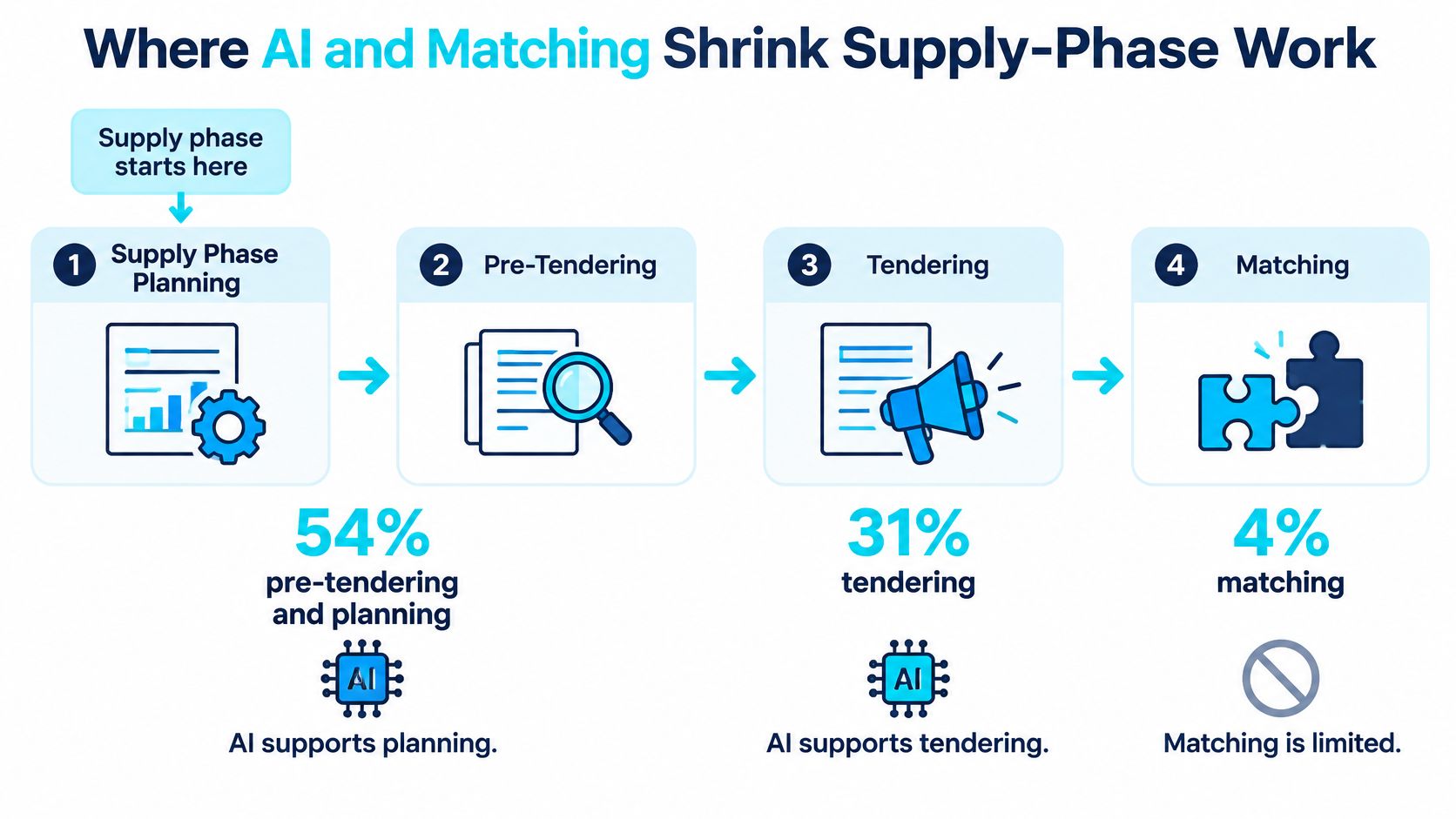
An OECD review of AI in public procurement found that 54% of solutions supported pre-tendering and planning, 31% focused on tendering, and only 4% addressed operational supply-phase activities such as receiving, invoice matching, inventory, contract compliance, and supplier-performance operations. The same review identifies automated ingestion, cleaning, and standardization as ways to reduce inconsistency and human error.
It's like automating the schedule for a warehouse dock while the dock crew still unloads by hand. The plan looks modern. The heavy work hasn't changed.
The invoice path in six steps
Invoice matching is the clearest supply-phase target because the inputs are documents, the checks are definable, and the exceptions have names. Run it like this.
- Classify the document. Separate invoices from receipts, credit notes, statements, and packing slips as they arrive, so each type enters the right path.
- Extract the fields. Pull supplier, PO number, line items, quantities, unit prices, tax, and totals into structured data a system can compare.
- Validate against the master record. Check the supplier identity, tax data, and bank details against the approved supplier record before anything posts.
- Match. Run a two-way match against the PO for services or simple buys, or a three-way match that adds the goods receipt when physical delivery matters.
- Post clean matches, queue breaks. Invoices that agree on price, quantity, and tax move toward payment. Anything that disagrees goes to a named queue, not a shared inbox.
- Code every exception. Label each break as price, quantity, tax, or missing receipt, so you can fix causes instead of repeatedly clearing symptoms.
Say a supplier invoices 100 units at the contracted price, the PO says 100, and the receipt confirms 100 arrived. Nobody should touch that invoice. Now say the receipt shows 92 because eight units arrived damaged. That one should stop, with the shortage visible, and a person decides whether to accept, claim, or short-pay.
Measure match rate, false positives and false negatives, cycle time by exception type, leakage from contracted prices, and the percentage of invoices requiring manual touch. A false positive, where the system clears an invoice it should have stopped, costs money. A false negative, where it stops a clean invoice, costs time and trust. You need both numbers, because tuning for speed alone increases the expensive error.
Rules first, AI where judgment varies
Readers often ask where AI belongs versus ordinary rules. The dividing line is whether the answer is fixed in advance.
A purchase above a set threshold needs a second approver. That's a rule. Code it, and don't ask a model to opine on it. Tax treatment by jurisdiction, duplicate invoice numbers from the same supplier, and a price that must equal the contract price are also rules.
AI earns its place on variable documents and pattern work. It can read a supplier invoice layout it hasn't seen before, suggest a cost center from similar past buys, summarize a long agreement, or draft a first-pass bid comparison for a buyer to correct. The output is a proposal with evidence, not a posting.
The Hackett Group report on generative AI in procurement found that 49% of procurement teams surveyed had piloted generative AI in 2024, up from 23% the previous year. Piloting is now common, so it no longer separates strong teams from weak ones. Production discipline does, and that means showing your work.
Practical rule: Every AI suggestion should display the source sentence, field, or past transaction behind it, like a clerk highlighting the clause, so a reviewer can verify it in seconds.
That transparency changes adoption. When we automated contract and PO work, Ryshe showed the procurement team exactly why the AI made each decision, which built their confidence in the system. People don't resist automation they can inspect. They resist a black box that posts payments.
Work a person should keep
Keep humans on ambiguous receipts, nonstandard liability or indemnity language, conflicting bank details, segregation-of-duties conflicts, and high-risk suppliers. Add damaged-goods disputes, partial deliveries against milestone billing, and any case where the document and the master data disagree about the supplier's identity.
Also resist one tempting shortcut. Don't let an agent read email and create POs before your supplier master data and approval roles exist. The agent will be fast, and it will faithfully scale whatever duplicates, stale prices, and missing approvers you already have.
The goal isn't maximum automation. It's a high straight-through rate on clean transactions, a small and well-coded exception queue, and named people making the few decisions that carry real risk.
Metrics That Show Real Automation Value
A faster inbox isn't the same as a better buying result. That gap shows up plainly in the 2025 procurement survey summary published by Supply Chain Xchange, where 64% of respondents said maverick spending improved over the prior year, yet 62% said procurement ROI stayed the same or worsened, while integration issues affected 88% and data-quality issues affected 75%. The same summary reports Deloitte's 2025 finding that digital leaders averaged GenAI returns of 3.2 times investment, compared with slightly above 1.5 times for followers.
So discipline can improve while reported ROI stays flat. Before you call that failure, check whether you measured the right things, in the right place, from a baseline you recorded.
Baseline one process before go-live
Pick one process, usually invoices or POs, and baseline it for four to eight weeks. Without a before picture, every after number becomes an argument.
| Metric | What it shows | Healthy signal |
|---|---|---|
| Touchless processing rate | Share of POs or invoices with no manual edit | Rises from baseline without skipping approvals |
| Exception rate | Items that leave the straight-through path | Falls, and each break has a coded reason |
| Invoice match accuracy | Correct two- or three-way matches | High true matches and few false clears |
| Approval latency | Time from request or invoice to a decision | Shorter cycle time with the same control points |
| Maverick spend | Buys outside contract or policy | Declines even if reported ROI is flat |
| Realized savings | Discounts and price compliance actually booked | Separated from volume, mix, and one-time concessions |
Read the rows as a set. A rising touchless rate with uncoded exceptions means you're getting faster at producing work you can't diagnose. A falling exception rate with a rising audit finding count means the path got smoother by dropping a control.
Attribution in plain terms
A lower unit price can come from higher volume, a different product mix, or a one-time supplier concession. If you credit all of it to automation, finance will stop believing your numbers, and they'll be right.
Split the value into buckets you can defend. Count realized savings booked against contract prices, avoided errors such as duplicate payments stopped, shorter approval time, fewer audit findings, supplier performance changes, and hours returned to buyers. Hours returned are capacity, not cash, until somebody decides what those hours now do.
Benefits also land outside procurement. A plant avoids a line stoppage because a PO released on time, or a project captures a discount that posts to a job ledger. If nobody ties those outcomes back to the workflow, procurement ROI looks flat while the business gained.
Use this reading rule. If the touchless rate rises and exception reasons are coded, keep going. If maverick spend rises, the automation skipped a control, so narrow it until the control is back inside the path.
A Manufacturer Contract and PO Result
One production story gives those metrics a human scale. Ryshe automated contract and purchase order workflows with AI for a 150-employee industrial parts manufacturer whose buyers read contracts, retyped commercial terms into purchase orders, and checked prices by hand.
Every agreement meant the same routine. A buyer opened the contract, found the pricing and terms, typed them into a PO, then compared the result against the agreement to catch slips. The work was skilled, repetitive, and easy to get wrong on a busy Friday.
What the automated path did
The system extracted key contract terms, created the purchase order from them, and checked the price against the agreement. Clean orders moved into the existing ERP without a second typing pass. Anything that didn't match stopped for a person.
That changed what a clerk's morning looked like. Instead of opening an inbox full of PDFs and starting from zero on each one, she opened an exception queue. Each item in it had a reason to be there, such as a price that differed from the agreement or a term the system flagged for review.
The project ran for three months. Processing time fell by 82%, the error rate reached 1.8%, and early-payment discounts captured $95,000. The team also got back about 20 hours a week.
Put that hours figure next to any headcount claim you're tempted to make. The hours moved to other work. Nobody needed to promise finance a staff cut for the result to be real, and the discounts show a second kind of value that pure speed metrics would miss. Faster, accurate processing meant invoices were ready inside discount windows the team used to miss.
"We went from drowning in paperwork to having a system that tells us exactly what needs attention. The ROI was obvious within the first month."
That quote came from a VP of Operations, and it points at the exception queue more than the AI. Knowing exactly what needs attention is the operational prize.
The boundary of the story
These are one client's reported results, not industry benchmarks, so confirm each figure with the client before reusing it as your own target. The scope was contracts and purchase orders for a single manufacturer. It was not autonomous sourcing, and a person still reviewed every flagged price and term break.
That boundary matters for AEC, aerospace, and plant teams. A pilot that extracts data into a spreadsheet but never posts to the system of record is a demo, not this result.
Copy the shape instead. Write your own three-month target as hours returned, error rate, and discounts captured or leakage stopped. Three numbers, one workflow, one baseline.
Choose the Next Workflow Worth Automating
The last decision is whether a workflow is ready, not which tool looks strongest. The Ardent Partners State of Procurement 2025 report found that 32% of procurement leaders cite misaligned processes and systems as a top challenge and 30% cite missing or incomplete technology, with spend, supplier, and contract data often incomplete or scattered. The same source packet reports Deloitte ranking siloed ways of working first at 57%, then competing priorities at 46%, inadequate organizational or technology capability at 40%, and talent gaps at 34%.
Software selection sits low on that list for a reason. Run these five checks on one workflow only.
- Data completeness. Supplier, item, price, and cost-center fields are present and consistent.
- Known exception rate. You can say how often the process breaks today and why.
- Named approvers. Approval roles and segregation of duties are documented, not assumed.
- Live path to the system of record. Output posts into ERP or finance without rekeying.
- Replayable audit trail. A reviewer can reconstruct who or what decided each step.
If two or more checks fail, delay the build and fix the defects. Correcting bad automated output costs more than waiting, because you pay once to produce the error at speed and again to unwind it.
If the checks pass, start with the highest-volume document path, usually contract to PO or invoice match, and baseline your scorecard before anyone builds. For teams that don't want another standalone pilot, we run this as a monthly program through Ryshe Forge. We map your manual processes, rank candidates by impact and feasibility, and build contract, PO, invoice, and approval automation that extracts contract terms, generates POs, checks prices, and routes exceptions to a person.
Pick one workflow this week. Run the five checks. Only then scope the build.
If your team owns the software but still does the typing, bring us the one workflow where data gets entered twice and we'll map it, run the readiness checks, and build the automation into the systems you already use. Visit Ryshe to start with a contract, PO, or invoice path you can measure within one quarter.