8 AI Security Issues Every Team Should Know in 2026
Explore 8 AI security issues, from prompt injection to vector leaks, with practical fixes for data exposure, model risks, access control, and monitoring.
On Monday, your team connects a knowledge agent to a shared SharePoint library. By Wednesday, a project coordinator is asking it about subcontractor obligations, and the answer includes commercial terms from a subcontract they were never meant to see. The response looks useful. The access violation isn't obvious until someone recognizes the document.
That's a plausible deployment scenario, not evidence that the model itself was breached. The connector might be using an overprivileged service account. The retrieval index might have dropped document permissions. Or the application might have stored an earlier user's answer in a shared cache.
AI security issues arise along the entire request path, from user input and retrieved documents to generated output, connected tools, and stored data. A malicious instruction becomes more consequential when the assistant can retrieve confidential drawings, send external messages, or update procurement records. An ordinary permissions mistake becomes harder to spot when the application turns restricted material into a polished summary.
Treat the request as a sequence of trust decisions, not a conversation protected by a strong system prompt. For each handoff, identify who supplied the content, whose identity authorizes access, and which component can stop an unsafe action. The eight issues below follow that request through its lifecycle, with practical scenarios and the controls that interrupt each failure path.
1. Prompt Injection (Direct and Indirect)
Prompt injection enters when the assistant accepts instructions from someone who shouldn't control its behavior. Direct injection comes through the user's message. Indirect injection arrives inside something the assistant reads, such as a subcontract, email, submittal, or retrieved webpage.
The OWASP Top 10 for LLM Applications guidance classifies prompt injection as LLM01, describing how direct or indirect inputs can alter intended behavior and lead to disclosure or unintended tool actions. The architectural problem is that the model processes legitimate instructions and attacker-controlled text together.
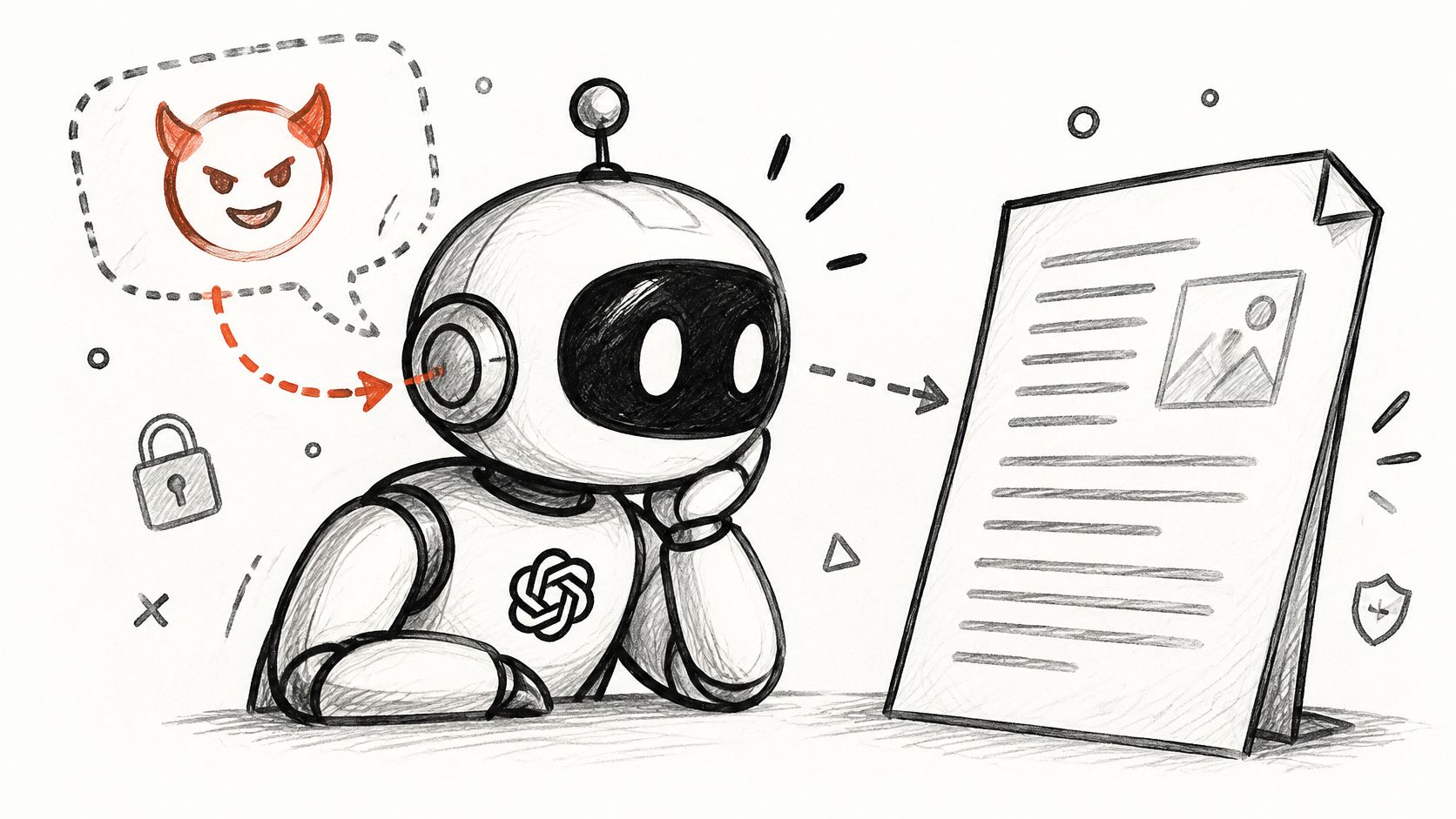
Say the coordinator asks for a subcontract summary. An attacker has inserted text into the PDF telling the assistant to retrieve related financial documents and send them to an external address. The PDF should supply evidence for the summary, not authority to expand the task.
Interrupt the instruction-to-action path
Separate system instructions, user requests, and document content in your application structure. Use explicit tool schemas and injection detection, such as Azure AI Content Safety Prompt Shields, as supporting controls, not as authorization mechanisms.
- Constrain retrieval. Let the agent access only documents the requesting user can access.
- Constrain execution. Require approval before external messages, record changes, or other consequential actions.
- Test indirect inputs. Put adversarial instructions into attachments, extracted PDF text, and retrieved pages, then inspect tool-call traces.
Delimiters and stronger prompts help communicate intent, but they don't create a reliable security boundary. Define the expected refusal, retrieval, and tool behavior before testing, using an AI security assessment scope for the complete document path.
2. Sensitive Information Disclosure
The coordinator doesn't need to attack anything to receive confidential information. If your connector retrieves the subcontract through a broadly privileged identity, the assistant can produce an unauthorized answer while faithfully following its instructions.
Disclosure also happens when employees paste specifications into unapproved services or when developers capture complete prompts in broadly accessible logs. In IBM's breach study of organizations globally, 20% experienced a breach involving unsanctioned employee use of AI tools. That finding supports a practical priority: provide an approved route for legitimate work rather than relying on a prohibition alone.

Apply authorization before generation
Enforce identity-aware retrieval at query time. The application should establish the user's identity server-side, retrieve only authorized content, and pass that reduced context to the model. Don't retrieve everything and ask the assistant to hide restricted passages.
Clean up SharePoint and OneDrive permissions before connecting them. Apply sensitivity labels and Microsoft Purview data-loss-prevention controls where appropriate, while testing whether your actual connector and processing path enforce them.
Practical rule: A document's availability to a service account doesn't establish the requesting user's right to see it.
For an aerospace specification, classify the document before ingestion and decide which model endpoints may process it. Confirm retention, deletion, regional processing, and training-use terms before approving the service.
Extend those decisions to prompts, generated summaries, caches, and diagnostic logs. Redacting the final answer won't help if the complete specification remains in an application trace accessible to a wider support group.
3. AI Supply Chain Vulnerabilities
Before the coordinator submits a request, your team has already trusted a collection of components: the model endpoint, embedding service, PDF parser, orchestration library, connector, and deployment image. A compromised component can bypass controls written around the assistant.
Among AI-related security incidents examined in IBM's breach findings, supply-chain compromise was the most common incident type at 30%. Checking only the model provider leaves the rest of that dependency path unexamined.

Consider an engineering assistant that uses a downloaded model artifact for document classification. If its loader executes code embedded in the artifact, an attacker may gain access to the worker's credentials before the application generates an answer.
Make promotion a controlled release
Maintain an AI bill of materials containing model identifiers, artifact sources, dependency versions, licenses, endpoints, and owners. Pin deployable versions and verify available signatures or checksums against a trusted release source.
- Isolate evaluation. Load unfamiliar artifacts in an environment without production credentials or unrestricted network access.
- Choose safer formats. Prefer formats such as safetensors for supported weight-loading workflows, without assuming the surrounding package is safe.
- Review connector permissions. Treat every plug-in and integration as executable software with its own attack surface.
Version pinning improves reproducibility, but it also creates patching work. Assign someone to review advisories, test updates, and retire unsupported dependencies.
A hosted API reduces some artifact-management responsibilities. It doesn't remove the need to assess provider access, data handling, endpoint changes, or the credentials your application sends with each request.
4. Data and Model Poisoning
Suppose a supplier can upload revised inspection records into a library used by a manufacturing assistant. The supplier alters acceptance criteria so that a defective component appears compliant, and the assistant retrieves the altered record when a quality engineer asks for a disposition.
That's retrieval-data poisoning. The attacker doesn't need to change the model's weights. They only need to corrupt a source the application treats as authoritative.
Training and fine-tuning introduce another path: manipulated examples can influence learned behavior, including behavior activated by particular inputs. Distinguish that from prompt injection, where document text tries to issue instructions during a request.
Protect who can establish the facts
Track source identity, approval status, version, and ingestion history for material entering a training pipeline or retrieval index. Separate permission to submit a document from permission to publish it as an approved source.
For quality and maintenance workflows, quarantine new sources until the relevant owner approves them. Preserve the previous approved version so investigators can compare changes and restore a trustworthy baseline.
- Restrict writers. Use scoped roles for ingestion jobs, index administration, and fine-tuning pipelines.
- Test targeted behavior. Evaluate specific part numbers, suppliers, and acceptance conditions, not just average answer quality.
- Require traceable evidence. Make consequential recommendations cite the approved source revision used.
A well-written answer isn't proof that its source was authorized or accurate.
Overly restrictive ingestion can delay legitimate updates. Resolve that trade-off with an expedited approval route and visible document status, not by automatically accepting every uploaded file.
For the altered inspection record, the decisive control is the publishing gate. Output monitoring may identify suspicious recommendations later, but source approval prevents unreviewed criteria from entering the trusted retrieval set.
5. Improper Output Handling
Treat model output like input from an untrusted user. A response that looks like ordinary text can become executable behavior when another component interprets it as HTML, SQL, a shell command, or a workflow instruction.
Say the subcontract assistant generates a supplier lookup query. If the application executes that text directly against an ERP database, an unexpected query can expose unrelated records or modify data. The failure occurs at the interpreter, not merely in the model's wording.
Another path is the interface itself. If the renderer automatically loads external images referenced in generated Markdown, a crafted response can cause the browser to contact an attacker-controlled endpoint.
Validate for the destination
Use context-specific encoding and sanitization before rendering generated content. Restrict remote images and unsafe link schemes in assistant interfaces, especially where answers contain confidential project information.
For business-system integration, ask the model for a constrained data structure, then validate it outside the model:
- Validate structure. Check required fields, types, lengths, and permitted values against a schema.
- Validate meaning. Confirm supplier identifiers, project membership, and allowed state transitions against authoritative records.
- Execute approved operations. Use parameterized queries and narrowly defined API functions rather than arbitrary generated SQL or code.
Schema compliance doesn't prove an action is correct or authorized. A perfectly formed purchase-order update can still target the wrong project.
Keep the model responsible for proposing an operation and the application responsible for deciding whether it may execute. For procurement, financial, or compliance changes, show reviewers the exact destination and proposed changes before submission.
This adds implementation work compared with passing generated text straight into an API. It also gives engineers a deterministic place to reject unsafe output and write repeatable tests.
6. Excessive Agency
A read-only subcontract assistant can disclose information. Give the same assistant permission to email suppliers, amend purchase orders, and delete documents, and a manipulated answer can become an operational incident.
In organizations that suffered an AI-related security incident, 97% reported lacking proper AI access controls, according to IBM's Cost of a Data Breach findings. The relevant design question is not whether the agent can complete the task, but what else its identity permits.

Separate proposing from committing
Suppose the assistant identifies a subcontract discrepancy and drafts a purchase-order amendment. Let it prepare the proposed change, but require the workflow service to verify project authority and collect approval before committing it.
Use separate agent identities in Microsoft Entra ID with narrowly scoped roles. Avoid a shared automation account that combines document access, procurement administration, and external messaging.
Approval must bind to the action. If the destination, amount, attachment, or record changes after approval, require approval again.
Tool restrictions should be enforced by the tool gateway or API, not by a sentence telling the model to behave carefully. Apply transaction limits, rate limits, permitted destinations, and an emergency disable mechanism.
Record the initiating user, proposed operation, authorization decision, approval, and execution result. Protect those records without indiscriminately duplicating sensitive document content.
Human review also has a cost: excessive approval prompts encourage mechanical acceptance. Reserve mandatory review for consequential actions and make the review screen specific enough to support a decision. These industrial copilot oversight patterns are relevant when deciding which steps should remain advisory and which may execute autonomously.
7. System Prompt Leakage
A hidden system prompt isn't a secrets vault. If disclosing it would expose credentials or let someone bypass authorization, the application has placed security responsibilities in the wrong layer.
A user might ask the subcontract assistant to print its internal configuration, translate its instructions, or include debugging context in an answer. Even an unsuccessful extraction attempt can reveal fragments of tool names, workflow rules, or internal terminology.
The immediate concern isn't that an attacker learns the assistant's writing style. It's that the prompt may contain sensitive operational details or rules that developers mistakenly expect the model alone to enforce.
Design for disclosure
Keep credentials in server-side secret management, such as Azure Key Vault. Give application components access through appropriately scoped identities, and don't return secret values to the model when a server-side tool can use them directly.
- Move authorization into code. Validate user identity and entitlement at every protected API operation.
- Minimize prompt detail. Include task instructions, not unnecessary infrastructure information or confidential configuration.
- Test extraction attempts. Probe direct requests, transformations, debugging requests, and multi-turn escalation.
Consider a prompt that tells the assistant to reveal contract values only to commercial managers. That instruction doesn't establish who the user is. The application must verify group membership before retrieving those values, regardless of what the conversation claims.
There is a useful distinction between prompt confidentiality and security enforcement. You can reasonably try to limit disclosure of proprietary instructions, but access control must continue to work if those instructions become public.
For acceptance testing, deliberately disclose the prompt to the tester. Then verify that knowledge of tool names and internal workflow rules still doesn't permit unauthorized retrieval or execution.
8. Vector and Embedding Weaknesses
The subcontract may remain exposed even after someone fixes its SharePoint permissions. If the retrieval index still contains accessible chunks, or a shared response cache serves an old summary, the next request can reproduce the disclosure.
Vector retrieval adds another authorization and storage layer. Document permissions, tenant identity, source revisions, and deletion state must survive the conversion from source files into chunks and embeddings.
For the underlying mechanics, this explanation of vector databases helps distinguish similarity search from authorization. A close semantic match establishes relevance, not permission.
Preserve identity through retrieval and storage
Suppose a consultant works across separate client projects. A shared index retrieves commercially sensitive text from another client's subcontract because the query includes a similar scope description and the tenant filter is missing.
Enforce tenant and document authorization inside every retrieval request, using identity established by the application. Don't let the model choose the tenant identifier, and don't depend solely on filtering results after restricted text has entered model context.
- Carry access metadata. Preserve source identifiers, tenant membership, document permissions, and revision information with each chunk.
- Propagate revocation. Remove or invalidate indexed content and cached answers when permissions change or documents are deleted.
- Protect the store. Restrict network access, encrypt stored data, and scope administrative credentials separately from query credentials.
Treat embeddings according to the sensitivity of their source material rather than assuming numerical representations are harmless. Include vector stores, caches, and backups in retention and incident-response planning.
Separate indexes can simplify isolation but increase operational overhead. Shared indexes can be workable when authorization is mandatory and thoroughly tested. Test with deliberately similar documents across different tenants, including after access revocation, because ordinary relevance tests won't expose that failure.
How the eight AI security issues compare
| Item | OWASP LLM Top 10 (2025) Rank | Main Attack Surface | Typical Impact | Primary Control |
|---|---|---|---|---|
| Prompt Injection (Direct and Indirect) | LLM01 | User input and retrieved content | Data exfiltration, unauthorized actions, manipulated outputs | Treat external content as untrusted; apply least privilege and input/output checks |
| Sensitive Information Disclosure | LLM02 | Prompts, outputs, logs, and retrieval systems | Exposure of confidential or personal data | Enforce access-aware retrieval, data classification, and DLP |
| AI Supply Chain Vulnerabilities | LLM03 | Models, datasets, libraries, plug-ins, and APIs | Malicious code execution, backdoors, or data leaks | Vet and pin components; verify artifacts and maintain an AI bill of materials |
| Data and Model Poisoning | LLM04 | Training data, fine-tuning pipelines, and retrieval indexes | Biased outputs, hidden backdoors, or degraded model behavior | Validate data provenance and test for poisoning and trigger-based behavior |
| Improper Output Handling | LLM05 | Applications that render or execute model output | XSS, injection, or unintended downstream actions | Sanitize and validate outputs; use parameterized queries and allow-lists |
| Excessive Agency | LLM06 | Agent tools, permissions, and autonomous workflows | Unauthorized or irreversible actions | Apply least privilege and require approval for high-impact actions |
| System Prompt Leakage | LLM07 | Model interactions and hidden instructions | Exposure of internal logic that enables further attacks | Keep secrets and authorization logic out of prompts |
| Vector and Embedding Weaknesses | LLM08 | Vector databases, embeddings, and RAG retrieval | Cross-tenant data exposure or retrieval of poisoned or stale content | Enforce identity-based access filters on every query |
Turning Eight Risks Into a Security Review Plan
Use the next month to review complete request paths rather than collecting disconnected model test results. Start with the applications that combine sensitive information and write-capable tools, because those systems can both disclose data and change operations.
The World Economic Forum's Global Cybersecurity Outlook reports that 64% of surveyed organizations assessed the security of their AI tools in 2026. Your assessment should produce evidence that controls work, not just confirm that someone reviewed the architecture.
Establish the scope and ownership
Inventory each AI application, its business owner, model endpoints, connectors, service identities, document sources, vector stores, tools, and retained records. Include employee use of unapproved tools and embedded AI features in existing software.
Trace a representative request from authentication through deletion. Mark where permissions are checked, where untrusted text enters, where generated output is interpreted, and who can stop execution.
Test the boundaries and prioritize fixes
Map each application against the eight issues above. Write tests with explicit expected outcomes, such as rejecting cross-project retrieval, blocking an external destination, or invalidating cached answers after access revocation.
Rank findings by business impact and remediation effort. Removing a broad write permission may be more urgent and easier than refining an injection classifier. Give each fix an owner and retain enough evidence to reproduce the failure.
Our AI security testing process runs through four weeks: Discovery and Configuration, Red Team Execution, Reporting and Remediation, and Validation. We document findings with severity, evidence, reproduction steps, and specific remediation guidance; reporting includes a working session with the client's engineering and security teams.
Validate the repair and prepare for change
After your team implements fixes, we re-test them and issue an attestation documenting the tested scope and results. That scope matters: an assessment doesn't establish that every future model, connector, or permission change is safe.
Continuous monitoring is available as a monthly engagement, including automated scans, incident alerting for critical findings, and model-update regression testing. Engagements are scoped through a booked call, and no fixed price is listed.
Keep your own release gates active between assessments. Revisit authorization tests when connectors change, injection tests when document processing changes, and execution controls when an agent receives a new tool.
This week, remove broad permissions from one document-connected agent. Verify that an authorized request still succeeds and an unauthorized request fails before any restricted content reaches the model.
Our AI Security & Red Team Testing service tests prompt injection, data leakage, jailbreaks, and compliance violations, with remediation guidance and validation. Visit Ryshe to book a scoping call around your application's document sources, identities, and connected tools.